 Stream My Drone
How to live stream from a drone (step by step, 2026)
To live stream from a drone, turn on RTMP in the drone’s app (in DJI Fly: GO FLY → ••• → Transmission → Live Streaming Platforms → RTMP) and send the picture to a receiver such as Stream My Drone on a phone or computer on the same Wi-Fi. The receiver forwards it to YouTube, Instagram, TikTok, Facebook, Twitch or Kick, several at once.
DJI Fly asks for a microphone on your RC 2 and won’t start the stream? Fix it without buying a mic →
In short
- You need a drone whose app offers RTMP live streaming (most current DJI drones in DJI Fly), a second device that receives the stream, and a steady upload connection.
- DJI Fly can push RTMP straight to one platform, but only as plain RTMP: Instagram and Facebook require encrypted RTMPS, and you get no preview and one destination.
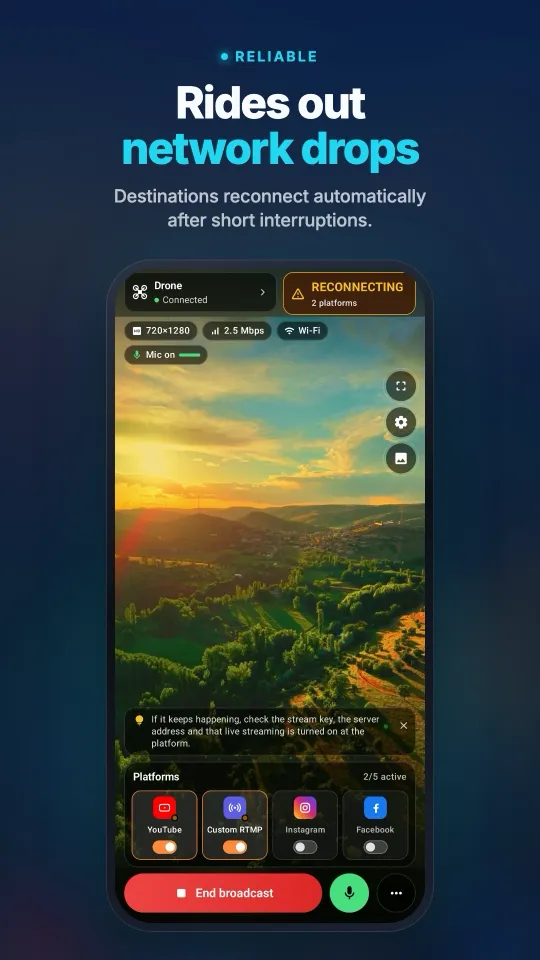
- A receiver app on a phone or computer adds a preview, RTMPS, several platforms at once and automatic reconnection after short drops.
- The controller usually sends 720p (DJI RC 2) or up to 1080p (RC-N2 or RC-N3 with an Android phone); plan 6–10 Mbps of steady upload per platform.
- On the DJI RC 2, DJI Fly 1.16 and newer ask for a microphone before streaming; a USB-C mic or the Android app’s virtual microphone clears it.
How to live stream from a drone in 5 steps
- Check that your drone app offers RTMPIn DJI Fly, open GO FLY → ••• → Transmission → Live Streaming Platforms. If RTMP is listed, your drone, controller and app version can stream. Older DJI drones use DJI GO 4, which has a similar custom RTMP option.
- Install a receiver on a second deviceInstall Stream My Drone on an Android phone, iPhone, Mac or Windows PC. With a screen controller such as the DJI RC 2, any phone can receive. With an RC-N2 or RC-N3, DJI Fly already runs on your phone, so receive on a second phone or a computer.
- Put both devices on the same networkJoin the controller (or the phone running DJI Fly) and the receiver to the same Wi-Fi, or turn on the receiving phone’s hotspot. Guest Wi-Fi usually stops devices from reaching each other.
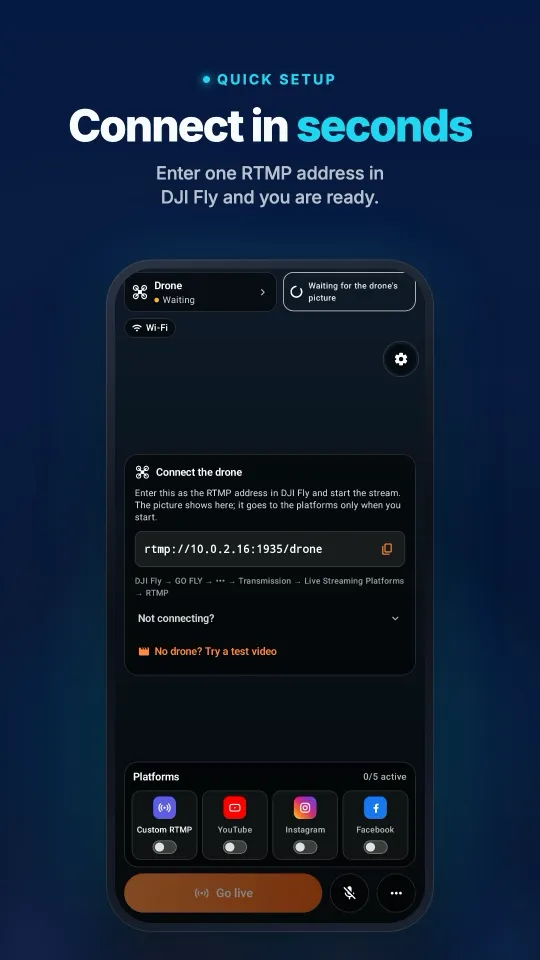
- Enter the RTMP address in DJI FlyStream My Drone shows an address such as
rtmp://192.168.1.20:1935/drone. Type it into DJI Fly’s RTMP screen and tap Start Livestream; the drone picture appears in the app within a few seconds. - Add your platforms and go liveAdd YouTube, Instagram, TikTok, Facebook, Twitch, Kick or a custom RTMP server with its stream URL and key, switch on the ones you want and start the broadcast. On Instagram and Facebook, also press Go live on the platform’s own page.
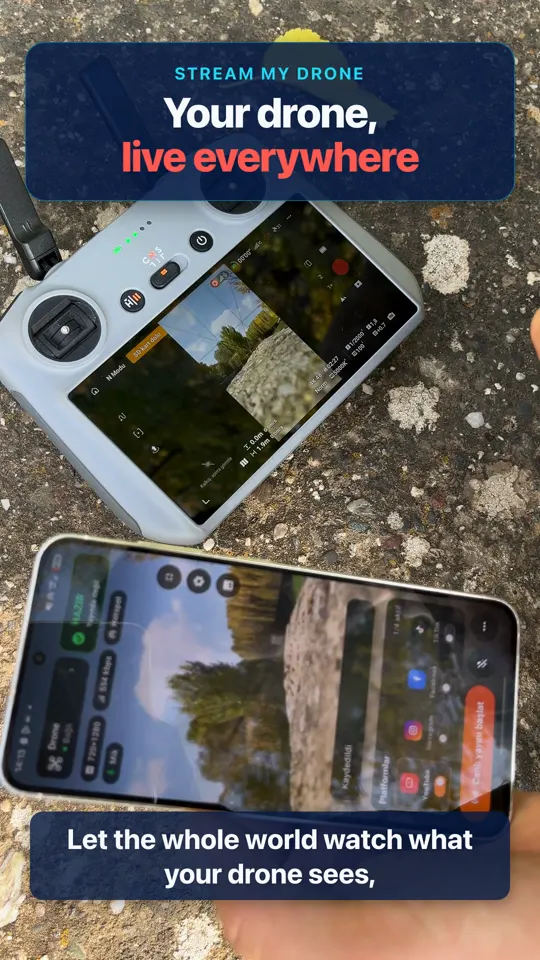
Menu names differ slightly between DJI Fly versions. The full walkthrough with screenshots is in the DJI Fly RTMP setup guide.
What you need to live stream from a drone
- A drone and controller with RTMP: most current DJI Fly drones, such as the Mini 3, Mini 4 Pro, Mini 5 Pro, Air 3, Air 3S, Mavic 3, Mavic 4 Pro, Neo, Flip and Avata 2 (with Goggles 3 and a phone).
- A receiving device: an Android phone (Android 9 or newer), an iPhone, a Mac or a Windows 10/11 PC.
- Internet with a steady upload: home Wi-Fi for practice, a 4G or 5G phone hotspot in the field.
- A platform account that may go live: YouTube must enable live streaming on the channel first (up to 24 hours), and TikTok gives stream keys only to some accounts.
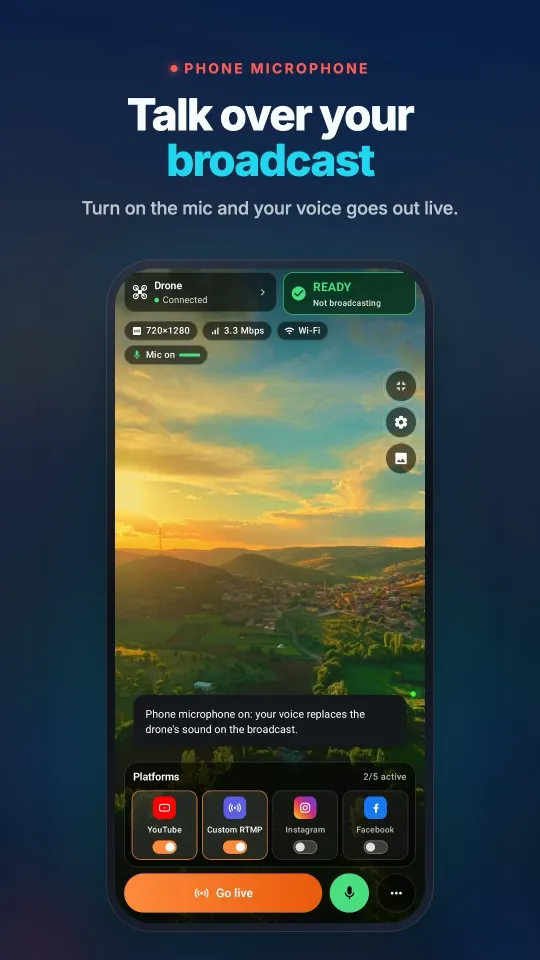
- On a DJI RC 2: a USB-C microphone, or the virtual Bluetooth microphone in the Android app, because DJI Fly 1.16+ will not start without one.
- Power: streaming drains the controller and the phone faster than flying alone; bring a power bank.
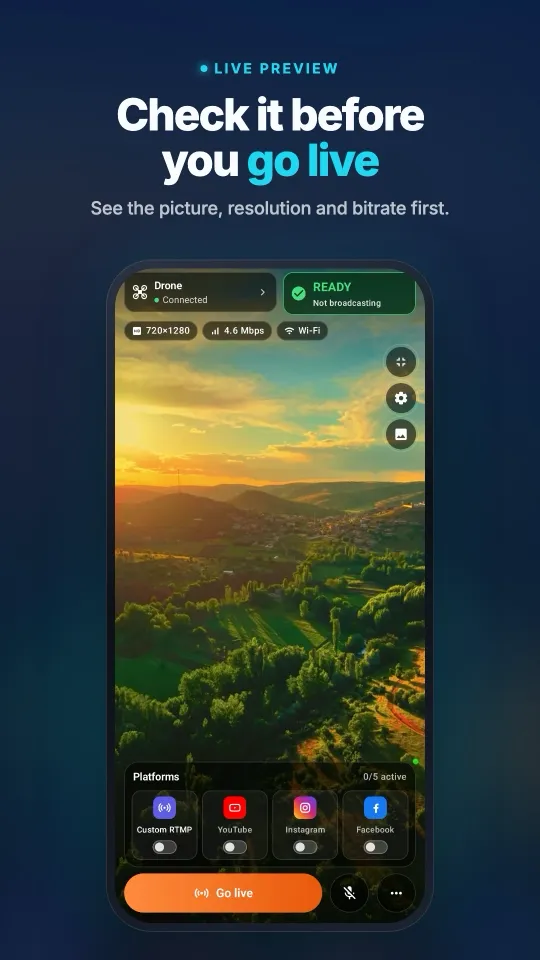
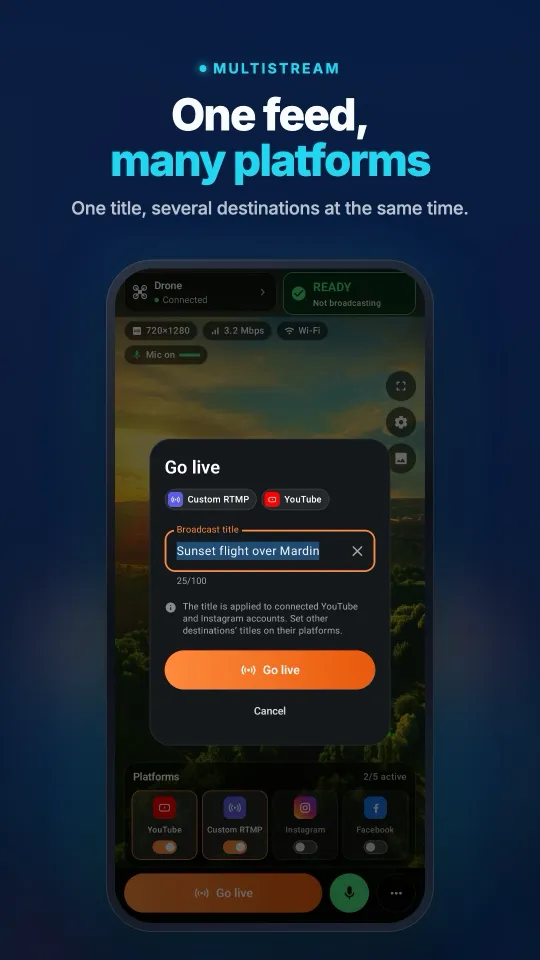
See it on your phoneFrom the DJI Fly connection to a broadcast on several platforms, all on one screen.
4 ways to live stream from a drone
| Method | How it works | Best for | Limits |
|---|---|---|---|
| DJI Fly straight to a platform | Type the platform’s RTMP URL and key into DJI Fly | A quick test on YouTube or Twitch | One platform, no preview, plain RTMP only (no Instagram or Facebook) |
| DJI Fly → phone app | Stream My Drone on a phone receives RTMP and forwards it | Streaming in the field without a laptop | Forwards the picture as DJI Fly sends it; no vertical conversion |
| DJI Fly → computer app | Stream My Drone on a Mac or Windows PC re-encodes the stream | Vertical 1080×1920 for TikTok and Instagram, virtual camera, OBS | Needs a computer on the same network |
| HDMI output + capture card | A controller with an HDMI port (DJI RC Pro, DJI Smart Controller) feeds a capture card into OBS | Events and studio production | Extra hardware; the RC 2, RC-N2 and RC-N3 have no HDMI port |
Method 1 is enough for a quick YouTube test. For Instagram, Facebook, vertical video or several platforms at once, put a receiver app in between. The receiver also keeps the stream on your own devices: the picture goes straight to the platforms, not through a restream server.
Which drones can live stream?
Any drone whose app lists RTMP under Live Streaming Platforms. The receiver never talks to the drone; it takes whatever DJI Fly sends. What changes from model to model is the controller, and with it which device runs DJI Fly.
| Drone | Typical setup | Guide |
|---|---|---|
| DJI Mini 4 Pro | RC 2 with a receiving phone, or RC-N2 with a computer | Mini 4 Pro guide |
| DJI Mini 5 Pro | RC 2 with a receiving phone, or a phone controller with a computer | Mini 5 Pro guide |
| DJI Air 3S | RC 2 or RC-N3 | Air 3S guide |
| DJI Mavic 4 Pro | RC 2 or RC Pro 2 | Mavic 4 Pro guide |
| DJI Neo | RC-N3, or goggles cabled to the phone | Neo guide |
| DJI Avata 2 | Goggles 3 cabled to the phone running DJI Fly | Avata 2 guide |
DJI adds and removes the RTMP option between DJI Fly versions and regions. If you do not see it under Live Streaming Platforms, update DJI Fly and check again.
Platform notes: YouTube, Instagram, TikTok, Facebook
| Platform | Where the stream key is | Watch out for |
|---|---|---|
| YouTube | YouTube Studio → Create → Go live → Streaming software | Enabling live streaming the first time can take up to 24 hours; the key stays the same. YouTube guide |
| instagram.com → Create (+) → Live video | Needs RTMPS and vertical video, gives a new key for every broadcast, and goes public only after Go live. Instagram guide | |
| TikTok | Only on accounts TikTok gives a stream key | Without a key, use TikTok LIVE Studio with the drone as a virtual camera on a computer. TikTok guide |
| Live video → Streaming software (Live Producer) | Accepts only RTMPS; press Go live in Live Producer | |
| Twitch and Kick | Creator dashboard: server URL and stream key | Horizontal 16:9; the stream goes live as soon as it arrives |
To reach several of them with one flight, add each as a destination and switch them all on; the steps are in the multistream guide.
Internet speed and video quality
| Setting | Recommendation |
|---|---|
| Upload per platform | 6–10 Mbps steady (6 Mbps video plus headroom) |
| Controller output | 720p on the DJI RC 2; 1080p or 720p on the RC-N2 and RC-N3 (5 or 3 Mbps on Android, 2 or 1 Mbps on iOS) |
| Orientation | Vertical 9:16 for TikTok and Instagram, horizontal 16:9 for YouTube, Facebook, Twitch and Kick |
| Keyframes | Every 2 seconds; the receiver app sets this for you |
| Local network | 5 GHz Wi-Fi or a phone hotspot; avoid guest Wi-Fi and routers that switch bands |
The live picture is limited by what the controller sends; the video recorded on the drone’s card keeps its full quality. Upload the recording later if you want a sharper replay.
Fly safely while you stream
- Set up the stream before takeoff, or let a second person run it. The pilot’s eyes belong on the drone, not on the chat.
- Follow your country’s drone rules: registration, line of sight, height limits and no flights over crowds. People shown live may need to agree to it.
- Never show the stream key on screen; anyone with it can broadcast to your channel.
- Watch the controller and phone batteries; a hotspot plus a stream empties a phone fast.
Troubleshooting
- DJI Fly cannot connect: both devices must be on the same network and the address must match exactly, including
:1935/drone. Guest Wi-Fi often blocks it. - “No built-in mic in current device” on the RC 2: connect a microphone, or use the Android app as a virtual microphone; see the RC 2 microphone fix.
- Instagram or Facebook rejects DJI Fly: they need RTMPS, which DJI Fly does not send. Why, and how to fix it.
- The picture stutters or drops: move closer to the router or hotspot, use 5 GHz, and keep the router from switching bands.
- Picture in the app, nothing on the platform: check the stream key, and press Go live on Instagram or Facebook.
Questions
Can you live stream from a drone?
Yes. Most current DJI drones send their live picture over RTMP from DJI Fly. Send it straight to one platform, or to a receiver app on a phone or computer that forwards it to YouTube, Instagram, TikTok, Facebook and others at once.
Can I live stream a drone without a computer?
Yes. With a screen controller such as the DJI RC 2, run Stream My Drone on a phone and let the controller join the phone’s hotspot. With an RC-N2 or RC-N3, DJI Fly already uses your phone, so the receiver must run on a second phone.
Can a DJI drone stream directly to YouTube?
Yes. DJI Fly can push RTMP to YouTube’s stream URL and key. You get one destination and no preview; a receiver app adds a preview, several platforms and automatic reconnection.
Why can’t I stream my drone to Instagram from DJI Fly?
Instagram only accepts encrypted RTMPS and gives a new key for every broadcast, while DJI Fly sends plain RTMP. Send DJI Fly’s stream to Stream My Drone, which forwards it to Instagram over RTMPS.
How much internet speed do I need to live stream a drone?
About 6–10 Mbps of steady upload for each platform you stream to. A 4G or 5G hotspot with good signal is usually enough for one or two platforms.
What resolution is a drone live stream?
It depends on the controller: 720p on the DJI RC 2, up to 1080p on the RC-N2 or RC-N3 with an Android phone. The video recorded on the drone stays at full resolution.
Is drone live streaming free?
DJI Fly’s RTMP and the platforms are free. Stream My Drone for Mac and Windows is free; the Android and iPhone apps are a one-time purchase with no subscription.
Take your drone live from your phone
Stream My Drone for Android and iPhone receives the DJI Fly picture and sends it to YouTube, Instagram, Facebook, TikTok, Twitch, Kick or your own server, several at once. One-time purchase, no subscription.
More guides
DJI Fly “Livestream error”: the causes and how to fix each one
DJI Fly says “Livestream error” or “Starting livestream failed”? The 8 real causes (RTMPS, stream key, account, microphone, network) and how to fix each one.
Which DJI drones can live stream? The full model and controller list
Every DJI drone that can live stream in DJI Fly, from Mini 2 and Mini 4K to Mavic 4 Pro and Avata 360, which controllers work, and the 720p and microphone limits.
How to live stream a wedding with a drone
Live stream a wedding with a DJI drone for guests who can’t be there: the plan, gear list, private YouTube link, phone or laptop setup, and the safety rules to follow.
DJI RC 2 won’t livestream without a microphone? How to fix “No built-in mic in current device”
DJI Fly 1.16 won't start an RC 2 livestream without a microphone. Why it happens, what works (USB-C mic, AirPods) and a no-hardware fix with an Android phone.
How to live stream a DJI Flip
Live stream DJI Flip with RC 2, RC-N3 or RC-N2: phone and computer RTMP setup, palm and phone-control distinctions, vertical framing and platform checks.
How to live stream a DJI Lito X1
Live stream a DJI Lito X1 with RC 2, RC-N3 or RC-N2: DJI Fly RTMP settings, phone and computer workflows, platform setup and practical troubleshooting.
How to live stream a DJI Lito 1
Live stream a DJI Lito 1 with RC 2, RC-N3 or RC-N2: DJI Fly RTMP settings, phone and computer workflows, platform setup and practical troubleshooting.
How to live stream a DJI Air 3S
Live stream a DJI Air 3S to YouTube, Instagram or Facebook. Choose a controller, connect DJI Fly RTMP to a phone or computer, and check the outgoing picture.
How to live stream a DJI Air 3
Live stream a DJI Air 3 to YouTube, Instagram or Facebook. Choose a controller, connect DJI Fly RTMP to a phone or computer, and check the outgoing picture.
How to live stream a DJI Mavic 4 Pro
Stream your DJI Mavic 4 Pro with RC 2 or RC Pro 2 to a phone or computer. Check DJI Fly RTMP, microphone differences, 720p limits and platform setup.
How to live stream a DJI Mavic 3, Classic or Pro
Live stream a DJI Mavic 3, Classic or Pro with RC-N1 or RC Pro. Learn why DJI RC cannot stream, plus phone receivers, desktop RTMP and quality limits.
How to live stream a DJI Mini 3 Pro
Live stream a DJI Mini 3 Pro using RC-N1, DJI Fly on your phone and Stream My Drone on a computer. Understand why the original DJI RC cannot use this RTMP route.
How to live stream a DJI Mini 3
Set up DJI Mini 3 live streaming through RC-N1 and DJI Fly to Stream My Drone on a computer. Check DJI RC limits, 720p live-view quality and platform publishing.
How to live stream a DJI Mini 5 Pro
Live stream a DJI Mini 5 Pro with RC 2 or RC-N3. Set up DJI Fly RTMP, use a phone or computer, and send your drone feed to YouTube, Instagram or Facebook.
How to live stream a DJI Mini 4 Pro
Live stream a DJI Mini 4 Pro using RC 2 or RC-N2. Follow phone and computer setup, DJI Fly RTMP settings, microphone requirements and platform checks.
Spot and count animals live from your DJI drone
Stream My Drone spots goats, sheep, cows, horses, donkeys and poultry in your drone's live picture, marks them on the stream and counts them, all on your own computer.
DJI Fly RTMP live streaming: the complete setup
How to set up RTMP live streaming in DJI Fly: where the setting is, which address to enter, how to network the controller and computer, and how to fix it.
Why DJI Fly can't live stream to Instagram (and the fix)
DJI Fly has no Instagram option and its RTMP client cannot do the encrypted RTMPS Instagram requires. Here is why, and how to go live on Instagram from a DJI drone anyway.
Turn your DJI drone into your computer's webcam
Turn your DJI drone into a webcam for TikTok LIVE Studio, OBS, Zoom, Google Meet or Teams with the Stream My Drone virtual camera. Setup, ideas and fixes.
How to live stream a DJI Neo
How to live stream a DJI Neo: which control mode works (phone, RC-N3, goggles), RTMP in DJI Fly, and going live on Instagram, TikTok or YouTube with Stream My Drone.
How to live stream a DJI Avata 2
How to live stream FPV footage from a DJI Avata 2: share the Goggles 3 view to DJI Fly on your phone, stream over RTMP and go live on Instagram, TikTok or YouTube.
Live stream your DJI Osmo camera to Instagram, TikTok and more
DJI Mimo can stream Osmo Action, Osmo Pocket and Osmo 360 cameras over RTMP. Send that to Stream My Drone to go live on Instagram, TikTok and YouTube at once.
How to live stream an Osmo Pocket 3 to Instagram and TikTok
How to live stream a DJI Osmo Pocket 3 over RTMP from DJI Mimo to Instagram, TikTok and YouTube at once, and use it as a wireless webcam, with Stream My Drone.
How to live stream an Osmo Action camera to Instagram and TikTok
Live stream a DJI Osmo Action 6, 5 Pro, 4 or 3 over RTMP from DJI Mimo to Instagram, TikTok, YouTube and Twitch at once with Stream My Drone. Setup and settings.
How to go live on TikTok with a DJI drone
Stream a DJI drone live on TikTok from DJI Fly: with a TikTok stream key, or without one through TikTok LIVE Studio and a virtual camera. Settings and fixes.
How to go live on Instagram with a DJI drone
Go live on Instagram from a DJI drone: get the stream URL and key on instagram.com, send DJI Fly's RTMP stream through Stream My Drone, then press Go live.
How to live stream a DJI drone to YouTube
Stream a DJI drone live to YouTube: enable live streaming, copy the stream key from YouTube Studio, send DJI Fly's RTMP through Stream My Drone. Settings and tips.
How to go live on Facebook with a DJI drone
Stream a DJI drone live on Facebook: get the RTMPS server URL and stream key from Live Producer, send DJI Fly's stream through Stream My Drone, and go live.
How to stream a DJI drone on Twitch
Stream a DJI drone live on Twitch: copy your stream key from the Creator Dashboard, add Twitch as a custom RTMP destination in Stream My Drone and go live.
How to stream a DJI drone on Kick
Stream a DJI drone live on Kick: copy the stream URL and key from the Kick dashboard, add them as a custom RTMP destination in Stream My Drone, and go live.
Stream a DJI drone to several platforms at once
Send one DJI drone live stream to TikTok, Instagram, YouTube, Facebook, Twitch and Kick at the same time with Stream My Drone — free, local, no restream service.
Stream My Drone vs Restream: which one for your drone?
Streaming a DJI drone to several platforms: Restream's cloud relay or Stream My Drone on your own computer? Cost, watermark, Instagram, vertical video and when each one wins.
Stream a DJI drone without setting up NGINX and OBS
The usual way to get DJI Fly into OBS is an NGINX RTMP server, a config file and a media source. Here is what that setup involves, and the one-app way to skip it.