 Stream My Drone
How to live stream a DJI Mini 3
The DJI Mini 3 has a documented live streaming option with RC-N1 and DJI Fly on a phone. Send that RTMP feed to Stream My Drone on a separate computer, then forward it to your platform. If your Mini 3 came with the screen-equipped DJI RC, check the controller limitation first: DJI does not support livestreaming with that controller.
DJI Fly asks for a microphone on your RC 2 and won’t start the stream? Fix it without buying a mic →
In short
- The supported route described here is Mini 3 → RC-N1 with a DJI Fly phone → a separate computer.
- The original DJI RC has no supported livestream route in DJI's Mini 3 guide; it is different from DJI RC 2.
- Mini 3's specified controller live view is 720p/30fps. Its 4K recording capability is a separate output.
- The USB flight connection and network RTMP connection serve different jobs.
- A working computer preview is the first check; the platform's viewer page confirms publication.
Mini 3 with RC-N1 or DJI RC: which can live stream?
DJI's Mini 3 FAQ lists RC-N1 and DJI RC as compatible controllers. They do not offer identical broadcast features: the official beginner guide supports livestreaming with RC-N1 and a mobile device, and excludes DJI RC.
| Your controller | Flight display | Livestream preparation |
|---|---|---|
| DJI RC-N1 | DJI Fly on a USB-connected phone | Use the RTMP-to-computer steps below |
| DJI RC | Built-in screen running DJI Fly | The documented DJI Fly livestream route is unavailable |
A phone hotspot does not add livestreaming to DJI RC. Do not follow RC 2 instructions from the Mini 4 Pro or Mini 5 Pro guide. Before buying or changing a controller, check DJI's current model compatibility and your actual setup.
Understand the three connections
| Connection | Purpose | What you configure |
|---|---|---|
| Mini 3 ↔ RC-N1 | Flight control and aircraft camera view | Normal aircraft/controller pairing |
| RC-N1 ↔ phone by USB | DJI Fly flight screen and livestream controls | Your compatible phone and controller cable |
| Phone → computer over the local network | Send the DJI Fly RTMP feed to Stream My Drone | The receiving address shown by the computer app |
The computer then uses its internet connection to reach your chosen platform. Connect the computer and flight phone to the same local network; internet access alone is not enough if that network prevents devices from communicating. Keep DJI Fly open on the flight phone and manage the receiver from the computer.
QuickTransfer is for moving captured files, as described in DJI's Mini 3 FAQ. It is not the RTMP connection used for this live broadcast. A USB cable to the computer is also not a substitute for the receiving address below.
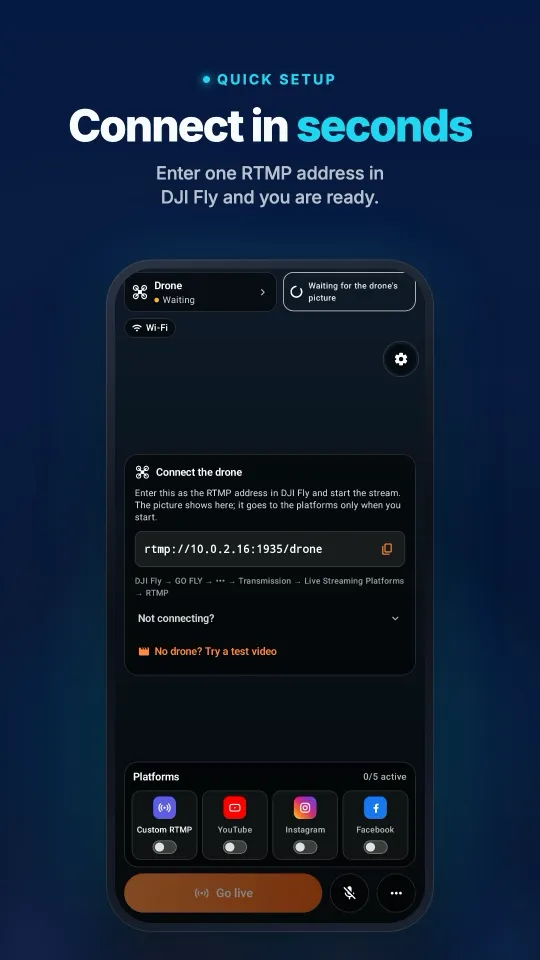
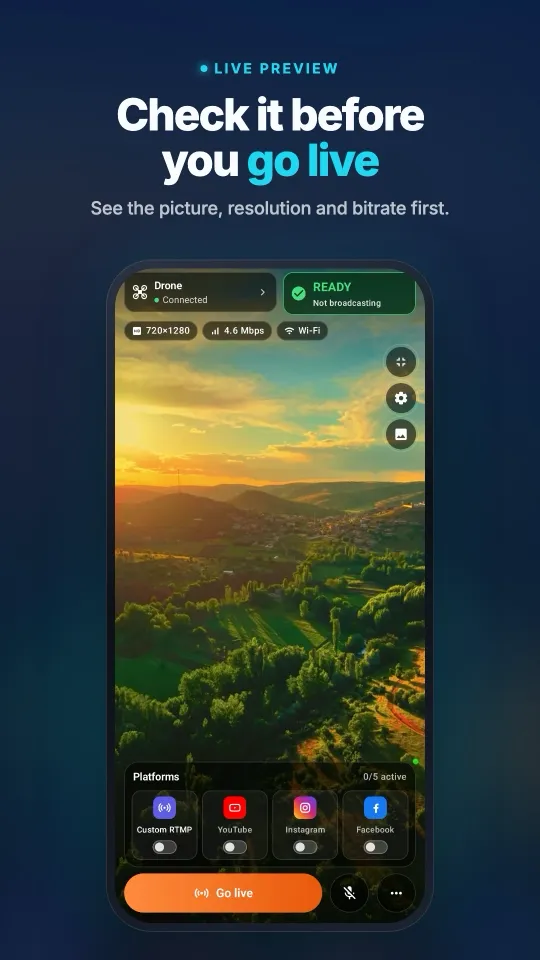
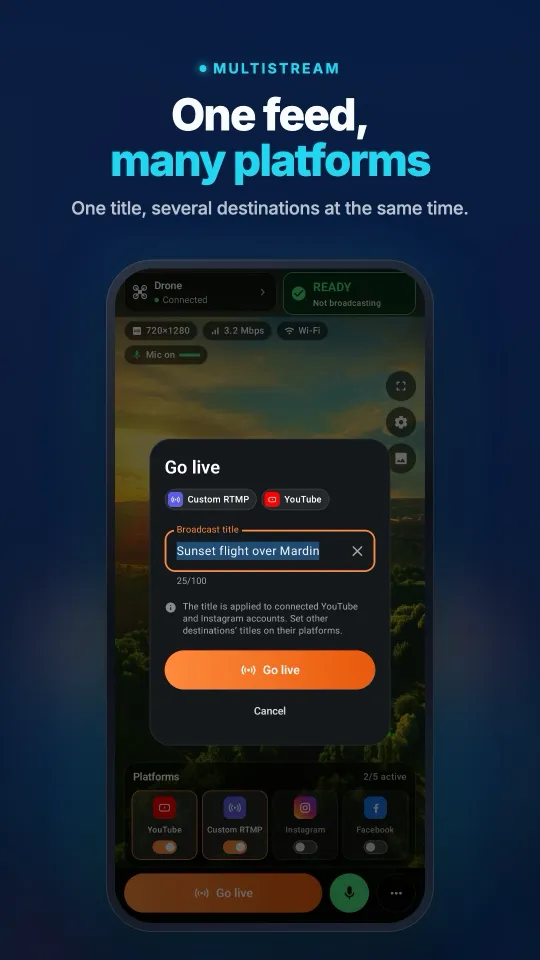
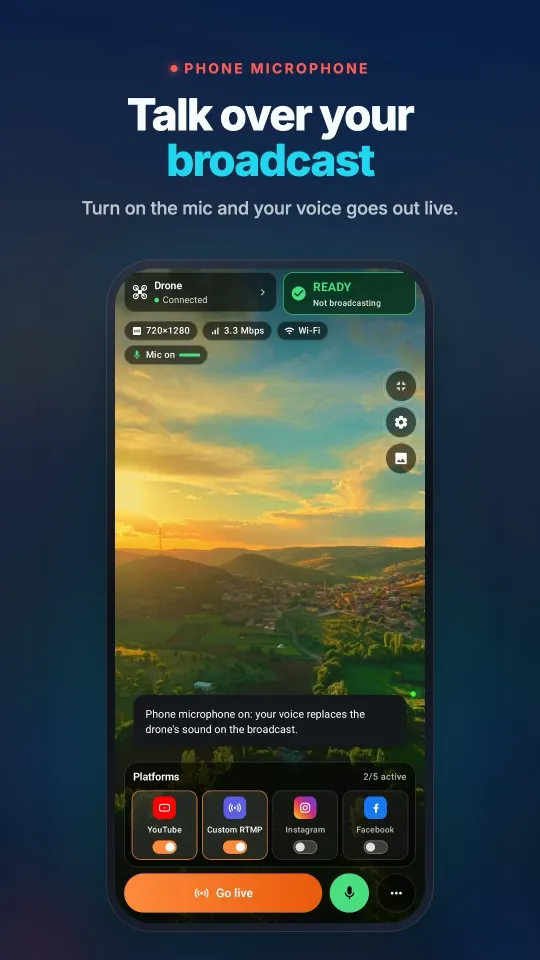
See it on your phoneFrom the DJI Fly connection to a broadcast on several platforms, all on one screen.
Set up the Mini 3 RTMP feed and publish it
- Prepare the apps and networkConnect the Mini 3, RC-N1 and flight phone normally. Install Stream My Drone on a Mac or Windows computer. Put the computer and flight phone on a shared local network with internet access; test a hotspot arrangement before the flight.
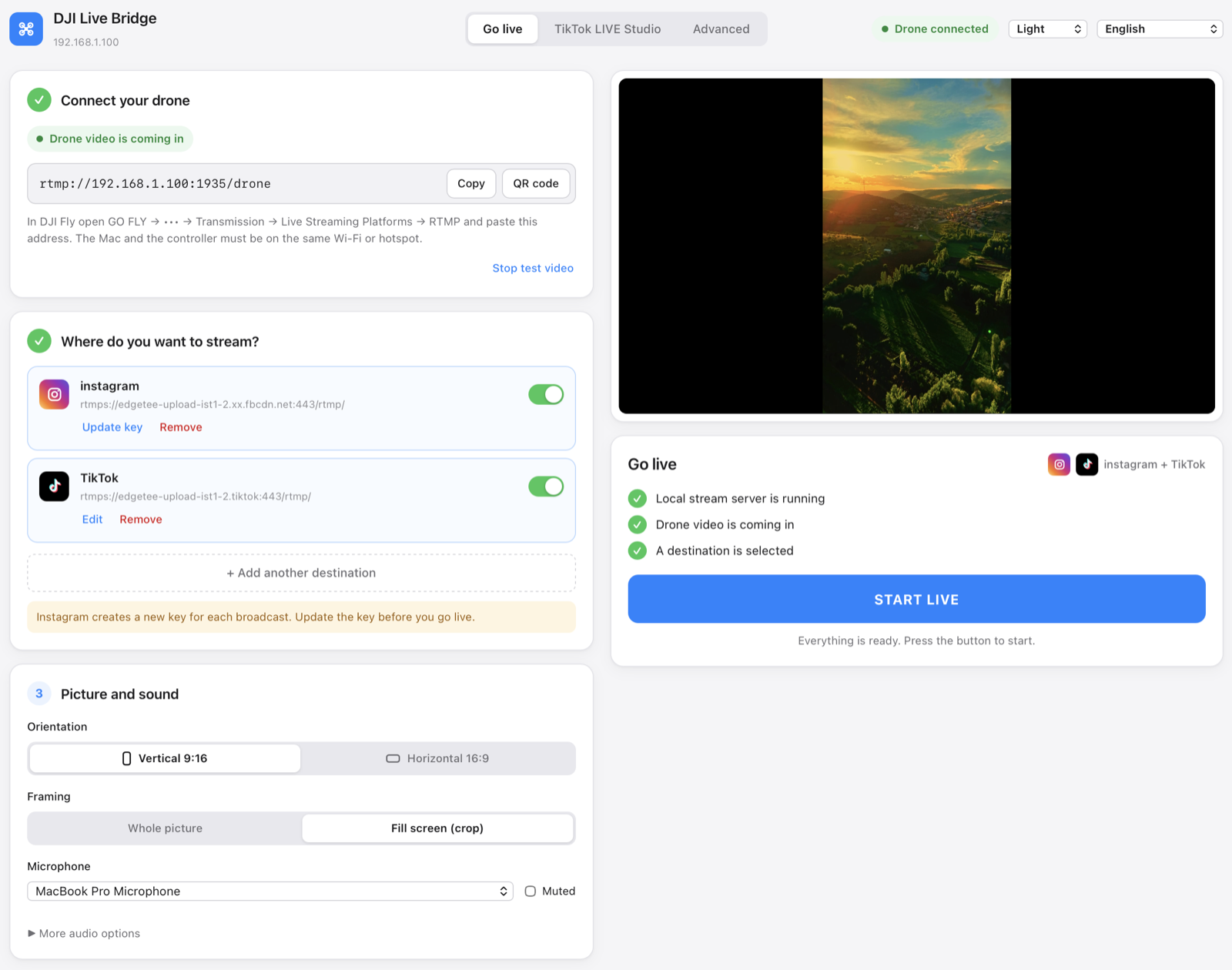
- Copy the computer's full RTMP addressOpen Stream My Drone and copy the address under Connect your drone.
rtmp://192.168.1.20:1935/droneis only a format example. Use the current address displayed by your app, including the path. - Start DJI Fly's RTMP outputIn the phone's camera view, open ••• → Transmission → Enable Livestreaming or Live Streaming Platforms and choose RTMP. Paste the receiving address and start. Menu wording can vary by version; see the DJI Fly RTMP guide for the shared walkthrough.
- Check video on the computerAllow the receiver's private-network firewall prompt if one appears, then confirm moving video in Stream My Drone. If it is missing, fix this local connection before configuring the platform. Keep the flight phone on DJI Fly.
- Add a platform and verify the broadcastChoose your desktop output layout, enter the platform's current server URL and stream key as a destination, and start the output. Open the platform dashboard, finish any required Go Live action, and check the viewer page with sound.
Prepare YouTube, Instagram, Facebook or TikTok
| Platform | Required account access | Next guide |
|---|---|---|
| YouTube | Live streaming enabled and a broadcast prepared | Drone to YouTube |
| Live Producer and RTMPS details available for your account | Drone to Instagram | |
| A Live Producer broadcast with its current URL and key | Drone to Facebook | |
| TikTok | RTMP credentials or permission to use LIVE Studio | Drone to TikTok |
Check your own platform dashboard before planning a public broadcast; receiving the drone feed does not unlock account eligibility. For desktop applications that accept a webcam, the virtual camera guide explains the video-source route. It does not remove the need for platform access or the Mini 3's incoming RTMP feed.
What picture quality should you expect from Mini 3?
DJI's Mini 3 specifications list DJI O2 transmission with a 720p/30fps controller live view, alongside separate 4K camera recording. A saved 4K file is not evidence of a 4K RTMP broadcast. Inspect the receiver's actual input and use the settings available in your DJI Fly version.
- Upscaling has limits. Desktop output can use larger dimensions, but it cannot reconstruct detail missing from a lower-resolution input.
- Check vertical framing. Mini 3's rotating camera and the final broadcast canvas are different parts of the setup. Review the actual desktop output before publishing portrait video.
- Leave upload headroom. Test at the flight location and start with one destination. Two destinations each sending 5 Mbps need about 10 Mbps combined upload before overhead.
- Budget data and power. One continuous 5 Mbps output uses about 2.25 GB per hour before overhead. Keep the flight phone and computer powered for the planned session.
Common Mini 3 live streaming problems
- Livestream settings are missing: check whether your controller is the original DJI RC. Its documented limitation cannot be fixed in the receiver app. With RC-N1, check DJI Fly updates and the aircraft connection.
- DJI Fly reports a connection error: copy the full current receiver address again. Check the Wi-Fi network, device isolation and computer firewall.
localhostpoints at the device using it, not your computer across the network. - The preview works but publication fails: the local feed is established. Check the platform URL, current key, account access and final publish control separately.
- Video stalls outdoors: check both local Wi-Fi and internet upload. Move the receiver closer to the network source and test a single lower-bitrate output where settings allow.
- There is video but no sound: inspect the incoming and destination audio settings and listen from a viewer device. If using a virtual camera, configure sound separately in the receiving broadcast application.
Official sources and the next steps
Checked October 25, 2026: DJI Mini 3 beginner guide for RC-N1 livestreaming and the DJI RC restriction; Mini 3 FAQ for compatible controllers and QuickTransfer; Mini 3 specifications for the live-view and recording distinction. Recheck available menus after firmware changes.
Own the Pro instead? Read the Mini 3 Pro live streaming guide. Once a single destination works, use the multistreaming guide to send one feed to more platforms.
Questions
Does DJI Mini 3 support live streaming?
DJI documents livestreaming with RC-N1 and a mobile device running DJI Fly. This guide sends that feed to Stream My Drone on a separate computer.
Can the Mini 3 DJI RC kit use these RTMP steps?
No. DJI's Mini 3 beginner guide says livestreaming is unavailable with the original DJI RC. It is different from the newer DJI RC 2.
Can Mini 3 stream its 4K camera recording?
Do not assume the live feed matches the saved recording. DJI lists a 720p/30fps controller live view for Mini 3; inspect the actual RTMP input in the receiver.
Can I replace RTMP with QuickTransfer?
No. QuickTransfer moves captured files to a phone. This setup uses DJI Fly's livestream output over the local network.
Can the flight phone also be the receiver?
This guide leaves DJI Fly on the RC-N1 phone and receives video on a separate computer. It does not assume that the flight and relay apps can reliably share one phone.
Where do I enter the platform stream key?
Enter it in Stream My Drone's destination settings with the platform server URL. DJI Fly receives the local computer address instead, including the path displayed by the app.
Take your drone live from your phone
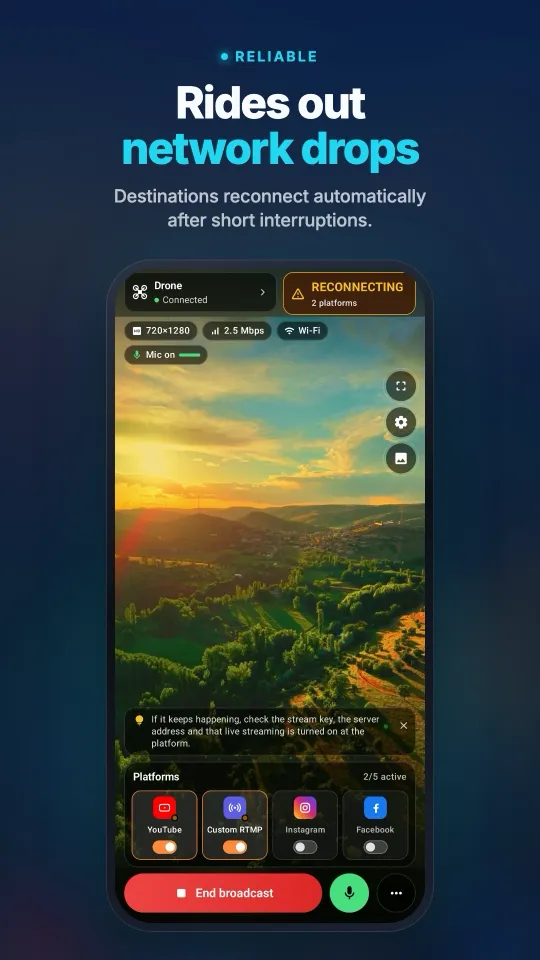
Stream My Drone for Android and iPhone receives the DJI Fly picture and sends it to YouTube, Instagram, Facebook, TikTok, Twitch, Kick or your own server, several at once. One-time purchase, no subscription.
More guides
How to live stream from a drone (step by step, 2026)
How to live stream from a drone to YouTube, Instagram, TikTok or Facebook: what you need, the 4 methods, DJI Fly RTMP setup in 5 steps, internet speed and fixes.
DJI Fly “Livestream error”: the causes and how to fix each one
DJI Fly says “Livestream error” or “Starting livestream failed”? The 8 real causes (RTMPS, stream key, account, microphone, network) and how to fix each one.
Which DJI drones can live stream? The full model and controller list
Every DJI drone that can live stream in DJI Fly, from Mini 2 and Mini 4K to Mavic 4 Pro and Avata 360, which controllers work, and the 720p and microphone limits.
How to live stream a wedding with a drone
Live stream a wedding with a DJI drone for guests who can’t be there: the plan, gear list, private YouTube link, phone or laptop setup, and the safety rules to follow.
DJI RC 2 won’t livestream without a microphone? How to fix “No built-in mic in current device”
DJI Fly 1.16 won't start an RC 2 livestream without a microphone. Why it happens, what works (USB-C mic, AirPods) and a no-hardware fix with an Android phone.
How to live stream a DJI Flip
Live stream DJI Flip with RC 2, RC-N3 or RC-N2: phone and computer RTMP setup, palm and phone-control distinctions, vertical framing and platform checks.
How to live stream a DJI Lito X1
Live stream a DJI Lito X1 with RC 2, RC-N3 or RC-N2: DJI Fly RTMP settings, phone and computer workflows, platform setup and practical troubleshooting.
How to live stream a DJI Lito 1
Live stream a DJI Lito 1 with RC 2, RC-N3 or RC-N2: DJI Fly RTMP settings, phone and computer workflows, platform setup and practical troubleshooting.
How to live stream a DJI Air 3S
Live stream a DJI Air 3S to YouTube, Instagram or Facebook. Choose a controller, connect DJI Fly RTMP to a phone or computer, and check the outgoing picture.
How to live stream a DJI Air 3
Live stream a DJI Air 3 to YouTube, Instagram or Facebook. Choose a controller, connect DJI Fly RTMP to a phone or computer, and check the outgoing picture.
How to live stream a DJI Mavic 4 Pro
Stream your DJI Mavic 4 Pro with RC 2 or RC Pro 2 to a phone or computer. Check DJI Fly RTMP, microphone differences, 720p limits and platform setup.
How to live stream a DJI Mavic 3, Classic or Pro
Live stream a DJI Mavic 3, Classic or Pro with RC-N1 or RC Pro. Learn why DJI RC cannot stream, plus phone receivers, desktop RTMP and quality limits.
How to live stream a DJI Mini 3 Pro
Live stream a DJI Mini 3 Pro using RC-N1, DJI Fly on your phone and Stream My Drone on a computer. Understand why the original DJI RC cannot use this RTMP route.
How to live stream a DJI Mini 5 Pro
Live stream a DJI Mini 5 Pro with RC 2 or RC-N3. Set up DJI Fly RTMP, use a phone or computer, and send your drone feed to YouTube, Instagram or Facebook.
How to live stream a DJI Mini 4 Pro
Live stream a DJI Mini 4 Pro using RC 2 or RC-N2. Follow phone and computer setup, DJI Fly RTMP settings, microphone requirements and platform checks.
Spot and count animals live from your DJI drone
Stream My Drone spots goats, sheep, cows, horses, donkeys and poultry in your drone's live picture, marks them on the stream and counts them, all on your own computer.
DJI Fly RTMP live streaming: the complete setup
How to set up RTMP live streaming in DJI Fly: where the setting is, which address to enter, how to network the controller and computer, and how to fix it.
Why DJI Fly can't live stream to Instagram (and the fix)
DJI Fly has no Instagram option and its RTMP client cannot do the encrypted RTMPS Instagram requires. Here is why, and how to go live on Instagram from a DJI drone anyway.
Turn your DJI drone into your computer's webcam
Turn your DJI drone into a webcam for TikTok LIVE Studio, OBS, Zoom, Google Meet or Teams with the Stream My Drone virtual camera. Setup, ideas and fixes.
How to live stream a DJI Neo
How to live stream a DJI Neo: which control mode works (phone, RC-N3, goggles), RTMP in DJI Fly, and going live on Instagram, TikTok or YouTube with Stream My Drone.
How to live stream a DJI Avata 2
How to live stream FPV footage from a DJI Avata 2: share the Goggles 3 view to DJI Fly on your phone, stream over RTMP and go live on Instagram, TikTok or YouTube.
Live stream your DJI Osmo camera to Instagram, TikTok and more
DJI Mimo can stream Osmo Action, Osmo Pocket and Osmo 360 cameras over RTMP. Send that to Stream My Drone to go live on Instagram, TikTok and YouTube at once.
How to live stream an Osmo Pocket 3 to Instagram and TikTok
How to live stream a DJI Osmo Pocket 3 over RTMP from DJI Mimo to Instagram, TikTok and YouTube at once, and use it as a wireless webcam, with Stream My Drone.
How to live stream an Osmo Action camera to Instagram and TikTok
Live stream a DJI Osmo Action 6, 5 Pro, 4 or 3 over RTMP from DJI Mimo to Instagram, TikTok, YouTube and Twitch at once with Stream My Drone. Setup and settings.
How to go live on TikTok with a DJI drone
Stream a DJI drone live on TikTok from DJI Fly: with a TikTok stream key, or without one through TikTok LIVE Studio and a virtual camera. Settings and fixes.
How to go live on Instagram with a DJI drone
Go live on Instagram from a DJI drone: get the stream URL and key on instagram.com, send DJI Fly's RTMP stream through Stream My Drone, then press Go live.
How to live stream a DJI drone to YouTube
Stream a DJI drone live to YouTube: enable live streaming, copy the stream key from YouTube Studio, send DJI Fly's RTMP through Stream My Drone. Settings and tips.
How to go live on Facebook with a DJI drone
Stream a DJI drone live on Facebook: get the RTMPS server URL and stream key from Live Producer, send DJI Fly's stream through Stream My Drone, and go live.
How to stream a DJI drone on Twitch
Stream a DJI drone live on Twitch: copy your stream key from the Creator Dashboard, add Twitch as a custom RTMP destination in Stream My Drone and go live.
How to stream a DJI drone on Kick
Stream a DJI drone live on Kick: copy the stream URL and key from the Kick dashboard, add them as a custom RTMP destination in Stream My Drone, and go live.
Stream a DJI drone to several platforms at once
Send one DJI drone live stream to TikTok, Instagram, YouTube, Facebook, Twitch and Kick at the same time with Stream My Drone — free, local, no restream service.
Stream My Drone vs Restream: which one for your drone?
Streaming a DJI drone to several platforms: Restream's cloud relay or Stream My Drone on your own computer? Cost, watermark, Instagram, vertical video and when each one wins.
Stream a DJI drone without setting up NGINX and OBS
The usual way to get DJI Fly into OBS is an NGINX RTMP server, a config file and a media source. Here is what that setup involves, and the one-app way to skip it.